Image merging
AI Photo Merge — Combine Your Images Creatively
Discover how to merge photos with AI using Blendly. Combine image ideas, adjust creative styles, and create new compositions online.
Open tool
Bring your creative ideas to life with Blendly. Combine images, explore artistic photo styles, and transform ordinary pictures into unique visuals using an intuitive AI-powered editor.
Your creative workspace
Upload Images
0 photos selected
Choose output style
Select canvas ratio
Your next creation starts here
Your finished blend will appear here
Prepare your photos, combine several references, and choose a photographic or artistic direction. Start with a supported preset, then refine the mood, lighting and composition in your prompt.
Actual Blendly outputs, compared with the source used to generate them.
2 examples · All styles
Your finished blend
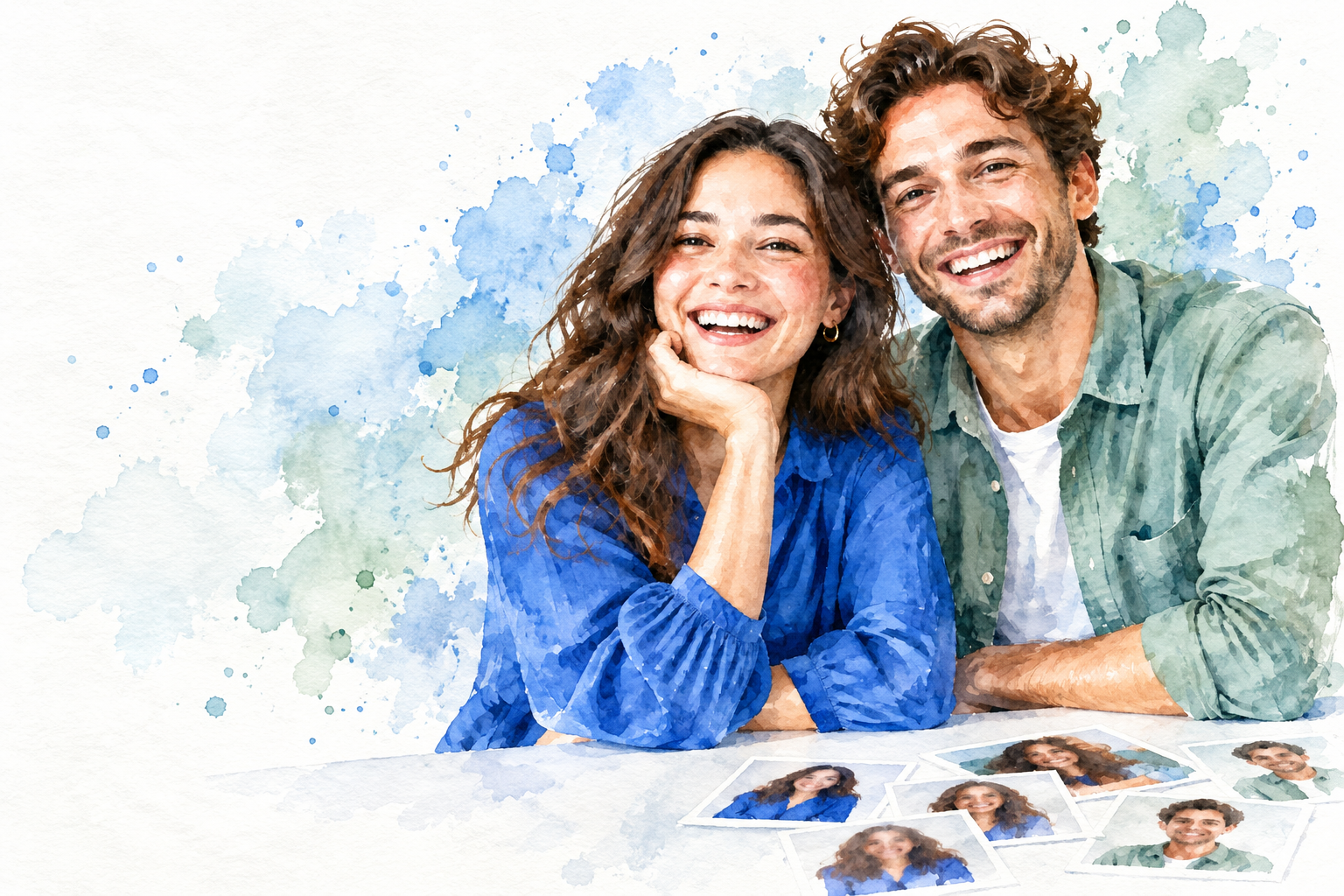
Actual result generated through Blendly. The source is an AI-created illustration, not a photograph of real users.
Documented editor example
Viewing Watercolor example
These examples were generated on October 30, 2026. Another attempt may produce a different composition.
Useful controls from source preparation to the finished file.
Use several source photos as references for one newly generated composition.
Create heartwarming images with handshake, hug, and bonding poses between friends and family.
Guide a subtle or bold transformation with the strength setting.
Describe the scene, atmosphere, and details you want to bring into your composition.
Prepare each source with a crop, zoom and 90-degree rotation before blending.
Sign in to save finished creations and their settings in your own private gallery.
Apply stunning filters like vintage, cinematic, or noir to enhance your merged photos.
Export PNG, JPG or WebP at generated dimensions with lossy quality controls.
Add one or more photos from your device. Drag and drop or click to browse your photo library.
Pick from 18 merge styles including handshake, hug, side-by-side, back-to-back, friends selfie, and artistic looks like anime, watercolor and noir.
Our advanced AI analyzes your photos and creates a seamless, natural-looking merged image.
Save your creation in high quality and share it on social media or with friends and family.
Image merging
Discover how to merge photos with AI using Blendly. Combine image ideas, adjust creative styles, and create new compositions online.
Open toolCreative editing
Explore creative AI photo editing with Blendly. Upload pictures, select visual styles, customize settings, and transform images online.
Open toolArtistic transformations
Explore AI image style transfer with Blendly. Experiment with artistic looks, creative effects, and different visual treatments for your photos.
Open toolArtistic transformations
Turn your photo into an anime-inspired image with Blendly’s creative AI editor. Explore illustrated looks, customize prompts, and experiment with styles.
Open toolArtistic transformations
Explore watercolor-style photo transformations with Blendly. Create soft painterly looks using AI editing styles and customizable image prompts.
Open toolArtistic transformations
Create cartoon-inspired versions of photos with Blendly. Explore illustrated portraits, expressive styles, and creative AI photo transformations.
Open toolFashion
Upload a photo of yourself and a clothing item, and Blendly's AI dresses you in it. Preview outfits online before you buy or style them.
Open toolCreative editing
Open the full Blendly workspace: upload photos, crop and rotate, pick from 18 styles, write a prompt, compare and download your result.
Open toolCreative editing
Upload a photo and Blendly's AI image enhancer sharpens detail, cleans noise and balances color and light while keeping the picture the same.
Open toolCreative editing
Upload a target photo and a face photo, and Blendly's AI places the face onto the target while keeping pose, hair and lighting. Use only with consent.
Open toolFree tools
Upload a photo and Blendly's AI removes the background, leaving your subject on a transparent PNG you can download and reuse.
Open toolCombine photos of family members who could not be together for a group shot.
Create heartwarming images showing friends shaking hands, hugging, or posing together.
Design eye-catching posts with creative photo combinations and effects.
Merge headshots and backgrounds for polished professional imagery.
Bring fresh creative ideas to your brand and marketing images.
Explore new scenes and artistic settings for your product photos.
Reimagine your favorite people and places in one composition.
Turn everyday photos into watercolor, anime, sketches, and more.
Less editing. More creating.
Bring people, places, and ideas together. With Blendly, a few photos and a little imagination are all you need.
Make something your ownLet AI compose your images instead of cutting and layering them by hand.
Start with your photos and choose a look that feels right.
Try 18 styles, different canvas shapes, and your own creative ideas.
Sign in to keep your finished blends and their settings in one private place.
Use recognizable subjects and crop distractions. Similar lighting can help when combining photos.
Describe the scene and name details you want retained. Avoid conflicting directions.
Compare faces, hands, edges and objects. AI editing may change details, even with a careful prompt.
AI image merging uses reference photos and your instructions to create a new visual composition. Bring people into a shared setting, explore artwork from familiar scenes, or use several images to communicate a creative concept. It is a generative interpretation, not a guarantee of exact likeness.
Blendly keeps the workflow approachable: prepare your sources, choose a direction, and compare the finished result. For precise retouching, exact typography or production-ready product details, review the output carefully and use traditional editing tools when needed.
Guide · 2026-10-30
Learn the basics of AI photo merging, from selecting source images and writing prompts to adjusting strength and reviewing your results.
Read guideGuide · 2026-10-30
Learn how to write useful AI image editing prompts with practical examples for portraits, watercolor looks, anime art, and creative backgrounds.
Read guideGuide · 2026-10-30
Understand square, portrait and wide image aspect ratios, and how Blendly’s supported canvas choices map to generated dimensions.
Read guideSee what real Blendly users are saying about AI Photo Merge
No reviews yet. Reviews written by signed-in Blendly users appear here as soon as they are published.
Sign in to leave a reviewBring a clear photo and a creative idea. Explore, compare and make the result your own.